Vehicle
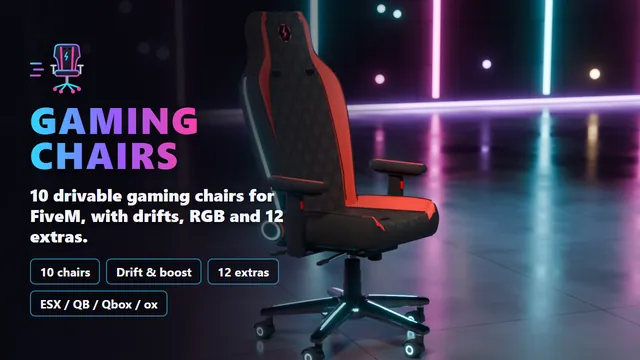
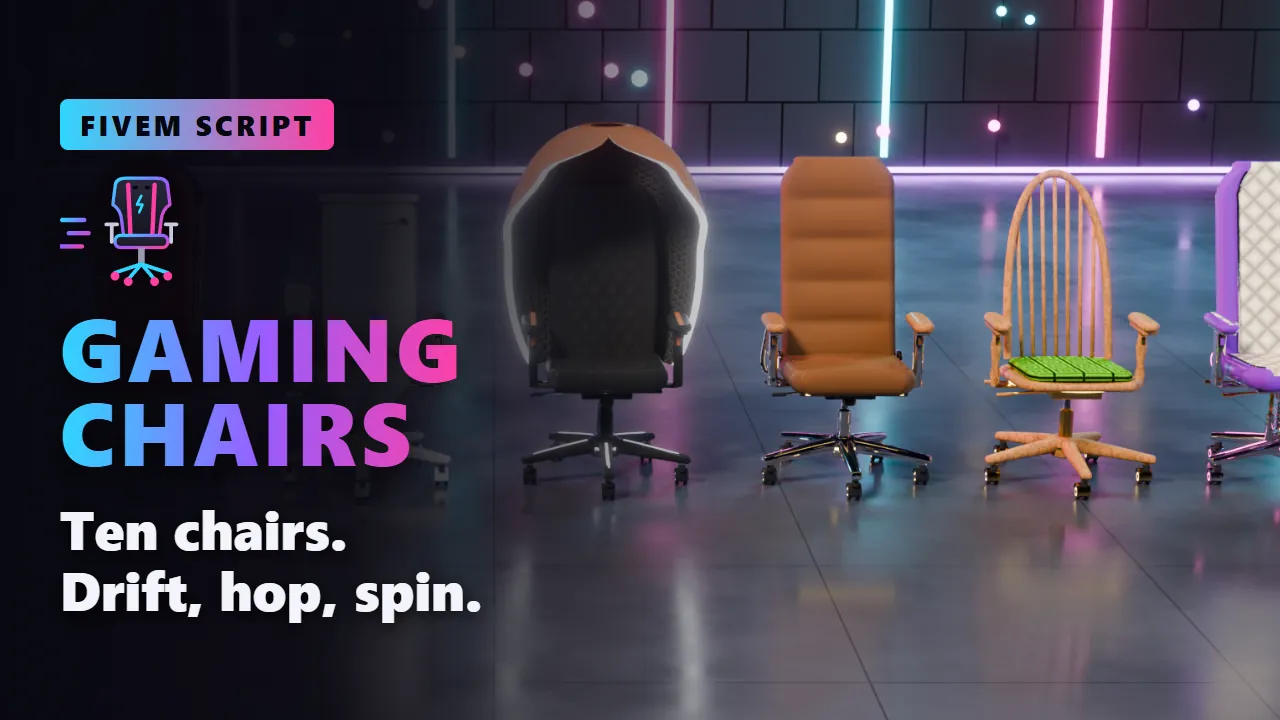
Ten drivable gaming chairs, each a model of its own, from a racing gaming chair to a golden throne and a toilet on wheels. Sit down with one key and roll off: hold the handbrake to drift, charge it up through three levels and let go for a burst of speed. Hop, spin, light it up in RGB and bolt on twelve extras. With ESX, QBCore, Qbox or ox_inventory every chair is an item you put down and ride.
- Granted to your Cfx.re account after payment
- Asset escrow, with the config left open
- Support on Discord
In action
The script, feature by feature
The showroom
Pick your ride
01 of 10
Gaming Chair
- The racing gaming chair
- Bolsters, wings, belt slots
- Quilted leather, lit emblem
PaintThe leather bolstersLightStrips, base, emblem
02 of 10
Breeze
- An ergonomic mesh office chair
- Mesh stretched in a graphite frame
- Lumbar pad, slim base
PaintThe meshLightA line round both frames
03 of 10
Vertebra
- A task chair with a spine
- Ribs fanning out from it
- Every rib tip lit
PaintThe fabric padsLightThe rib tips
04 of 10
Gaming Throne
- Tufted velvet, carved gold
- A tall arched back
- A crown with glowing jewels
PaintThe velvetLightThe crown jewels
05 of 10
Flush
- A toilet on casters
- Lid down, cistern for a back
- Flush button, a roll of paper
PaintThe lidLightA ring under the lid
06 of 10
Gaming Pod
- A sci-fi egg chair
- A glossy shell round you
- Hexagon lining, lit opening
PaintThe shellLightThe opening edge
07 of 10
Boss
- An executive chair
- Leather in plump rolls
- Wooden arm caps, chrome
PaintThe leatherLightA line under the seat
08 of 10
Oak
- Grandpa's wooden chair
- Bow back with spindles
- Crochet cushion, brass casters
PaintThe crochet cushionLightA ring under the seat
09 of 10
Lowrider
- Candy paint, crushed velvet
- Chrome hydraulics
- Gold chain, fuzzy dice
PaintThe candy shellLightThe light
10 of 10
Cyber
- Angular carbon and hexagons
- A visor for a headrest
- Light along every edge
PaintThe fins and trimLightEvery edge
In motion
See it move
The ride
Hold, drift, let go
Hold the handbrake in a curve and the chair slides sideways round it. The longer it slides, the higher the charge, and the sparks under the casters show it. Let go, and the charge fires as a burst of speed. A tap on its own is a hop.
- Level 1after 0.7 s of sliding+3.0 m/s for 0.7 s
- Level 2after 1.5 s of sliding+5.0 m/s for 1.0 s
- Level 3after 2.4 s of sliding+7.5 m/s for 1.4 s
What you get
Gaming Chairs, in detail
The chairs
- 10 models: Gaming Chair, Breeze, Vertebra, Gaming Throne, Flush, Gaming Pod, Boss, Oak, Lowrider and Cyber, each a vehicle of its own.
- Built in full: colour sets, collision and 5 levels of detail on every chair; the first colour paints the accent, the second is the light.
- From office to absurd: a mesh office chair, a spine of lit ribs, a crown with glowing jewels, a toilet with a flush button, a sci-fi egg, candy paint and hydraulics.
The ride
- Its own driving: the script drives the chair, not GTA's car physics: a punchy start, tight turns, swivelling on the spot, flat on any ground.
- Drift: hold the handbrake in a curve to slide; sparks show three charge levels, and letting go fires a burst of speed.
- Hop and spin: tap the handbrake to hop, press E to whirl round once on the casters.
- Its own sounds: casters rolling, an electric motor's whine, the squeal of a drift, the hop and the burst. No car engine.
Lights and extras
- RGB: light strips, caster rings, emblems and an underglow in the chair's second colour: colour, RGB, pulse or off, seen by everyone.
- 12 extras on every chair: spoiler, cat ears, rockets, monitor, snacks, rubber duck, headset, safety flag, phone, neck pillow, pizza box and an AFK plate.
- Some do something: the rockets shoot flames with every burst, the duck squeaks with every hop.
- Real GTA extras: /chairextra, vMenu's extras menu, SetVehicleExtra and garage scripts that save extras.
The rider
- Fitted to each chair: a custom animation for every chair's seat, backrest and armrests.
- Rides along: leans into curves, is pressed back speeding up, lies into a drift, throws the arms wide in a spin, presses the armrest button for the light.
- Three ways of sitting: relaxed, gamer with a controller in the hands, or chill with the hands behind the head. Others see the same.
- On at once: the enter-vehicle key sits you down without an animation, and up again keeping your speed.
For your server
- Items: one per chair for ESX, QBCore, Qbox and ox_inventory; put down in front of the player, picked up again with ox_target.
- Standalone too: the chairs are ordinary vehicles, and /gamingchair spawns one.
- Vanilla mode: one setting turns them into plain add-on vehicles at 0.00 ms resmon.
- Open config: every driving, drift, light and sound value, and /gamingchairtune to try them live.
- Exports: is it a gaming chair, is this player sitting, get up, give a player a chair, put one down, pick one up.
Before you buy
What it needs
OneSync. No framework needed; ESX, QBCore, Qbox or ox_inventory for the items, ox_target for picking them up.
- Scripts and models are protected by the FiveM asset escrow. The config and the texts stay open.
- Your server has to run with a license key from the Cfx.re account that owns the resource.
- Exports for your own scripts, in files that are left open as well.
Set up
On your server in three steps
Download
From the Cfx.re Portal, under Granted Assets.
Ensure
Put the folder into your resources and add it to your server.cfg.
Configure
Everything is explained option by option in the documentation.
More from the store
Keep browsing