 01 / 06
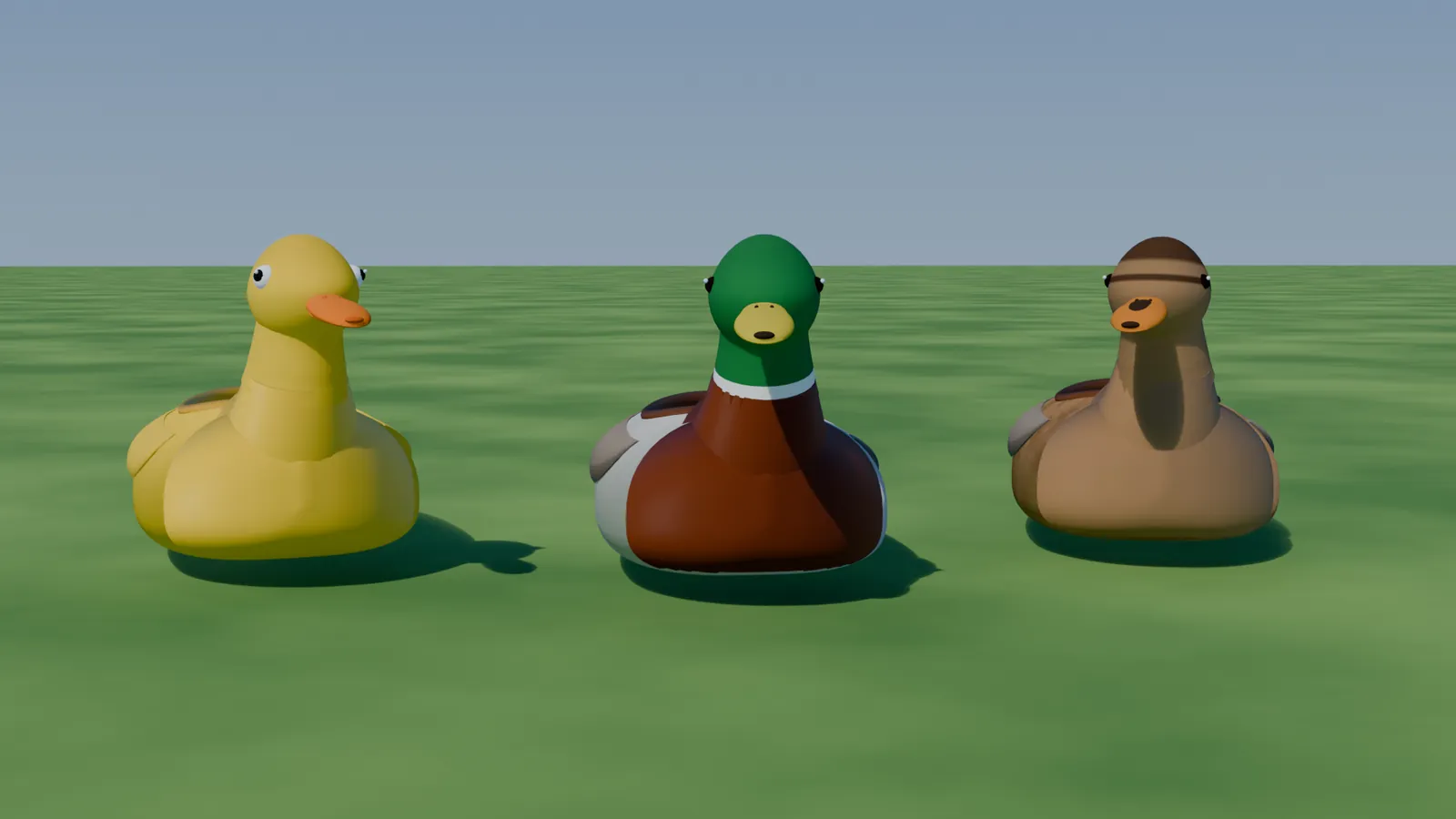
3 ducksSwimsFliesQuacks
Vehicle
Quackmobil
Three drivable ducks. They waddle, they quack, they swim and they fly: paddling feet, a head that looks into curves, a recorded mallard for a horn, and wings that unfold.
- Granted to your Cfx.re account after payment
- Asset escrow, with the config left open
- Support on Discord
What you get
Quackmobil, in detail
It's alive
- The webbed feet paddle faster the faster you drive, and tap impatiently at red lights.
- The head bobs with every stroke and looks into curves.
- The bill opens with every quack: a recorded mallard, heard by everyone nearby.
- Crash hard and a burst of feathers flutters to the ground.
Water and air
- Amphibious: drive off the pier into lakes, rivers or the sea, and steer like a boat.
- Flight mode: the wings unfold and flap faster the faster you fly.
- Take off from the water or land on it. Synced for every player.
- Optional flight licence by job (ESX, QBCore or Qbox) or ACE permission, checked on the server.
The flock
- Three separate add-on vehicles that share one handling: drake, hen and rubber duck.
- No visible wheels; the headlights shine from the eyes and turn with the head.
- Padded cockpit with bucket seats and a steering wheel with a duck emblem.
- Full LOD chain, so a whole flock doesn't eat your frames.
Light as a feather
- Parked ducks cost nothing; ducks off-screen are skipped.
- Three graphics presets, and players can pick their own.
- Simple mode turns the ducks into plain vehicles with practically no client load.
Before you buy
What it needs
OneSync. ESX, QBCore or Qbox is optional and only used for job-based flight permissions.
- Scripts and models are protected by the FiveM asset escrow. The config and the texts stay open.
- Your server has to run with a license key from the Cfx.re account that owns the resource.
- Exports for your own scripts, in files that are left open as well.
Set up
On your server in three steps
Download
From the Cfx.re Portal, under Granted Assets.
Ensure
Put the folder into your resources and add it to your server.cfg.
Configure
Everything is explained option by option in the documentation.
More from the store
Keep browsing