Vehicle

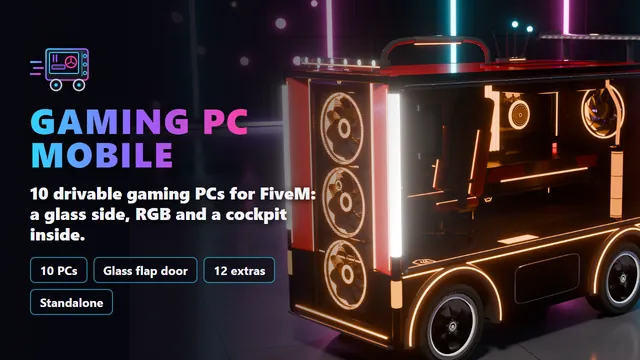
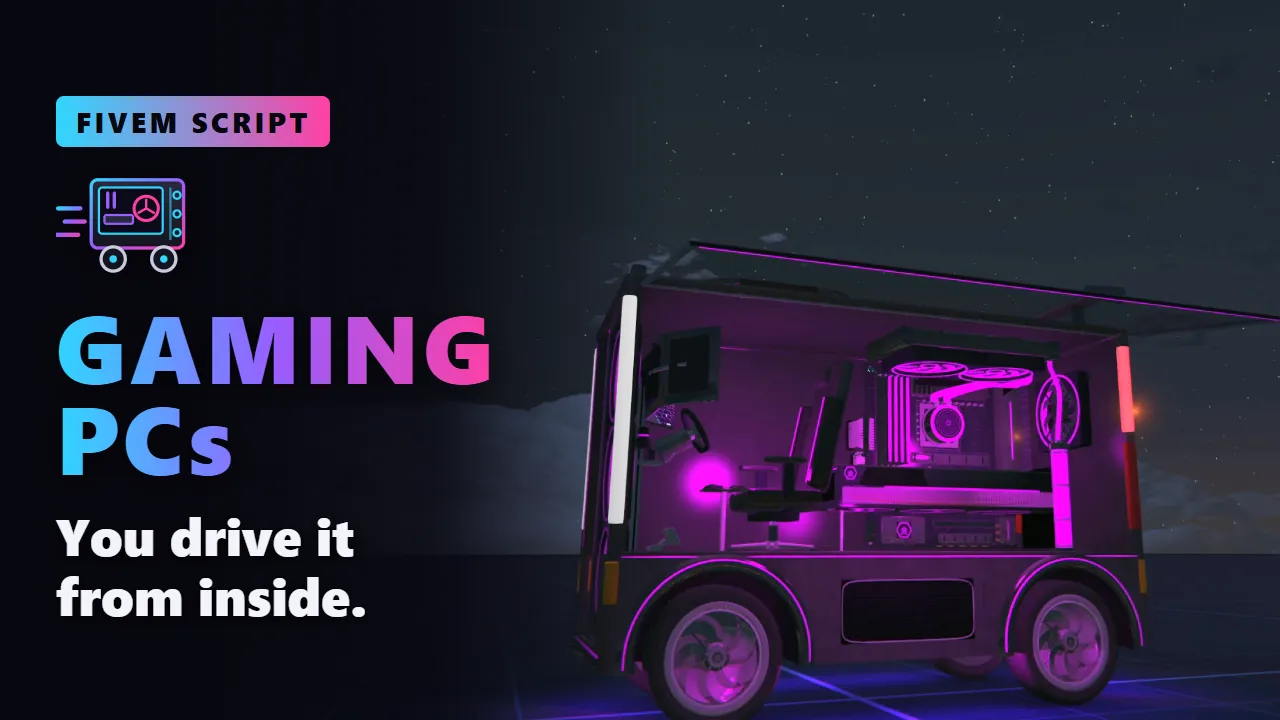
Ten drivable gaming PCs, each a full tower the size of a van and a model of its own, from a beige nineties tower to a mining rig and an art deco Royale. The glass side shows the whole build in RGB and swings up like a hot dog stand's flap to let you in: you drive from a gaming chair behind a sim wheel, with a monitor that plays along. Live screens, turning fans, its own horn and twelve extras.
- Granted to your Cfx.re account after payment
- Asset escrow, with the config left open
- Support on Discord
In action
The script, feature by feature
The showroom
Pick your ride
01 of 10
Gaming PC Mobile
- A full tower the size of a van
- A glass side, the whole build
- Fans, pump and card in RGB
PaintThe steel caseLightFans, strips, emblems
02 of 10
Retro Tower
- A beige tower from the nineties
- Drive bays, turbo, MHz display
- A CRT, ribbon cables, cards
PaintThe beige caseLightFans and strips
03 of 10
Snow Panorama
- All white, a glass front too
- LED strips over two fans
- A white racing chair, a yoke
PaintThe caseLightFans and strips
04 of 10
Timber
- Walnut slats over felt
- A two-tower air cooler
- A bent-wood lounge chair
PaintThe caseLightFans and strips
05 of 10
Workstation
- Straight from the server room
- Drive caddies, a fan wall
- A live status display
PaintThe caseLightFans and drive lights
06 of 10
Hardline
- A custom water loop
- Hard tubes, chrome fittings
- Coolant glowing in its plate
PaintThe caseLightThe coolant and the fans
07 of 10
Mining Rig
- Six cards in a rack on the roof
- Expanded metal, floodlights
- A garden chair inside
PaintThe caseLightFans and the cards
08 of 10
Neon Wedge
- A sloped nose, slit headlights
- A hexagon eye round a fan
- Cables of glowing EL wire
PaintCase, hazard bandLightEvery line of light
09 of 10
Field Ops
- A military hard case
- Bull bar, winch, spare wheel
- Beadlocks on knobby tyres
PaintThe hard caseLightFans and strips
10 of 10
Royale
- Art deco gold and marble
- A chandelier inside
- A tufted wingback armchair
PaintThe lacquered caseLightFans and strips
In motion
See it move
What you get
Gaming PCs, in detail
The PCs
- 10 models: Gaming PC Mobile, Retro Tower, Snow Panorama, Timber, Workstation, Hardline, Mining Rig, Neon Wedge, Field Ops and Royale, each a vehicle of its own.
- Built in full: colour sets, collision, real vehicle lights and 5 levels of detail on every PC; the first colour paints the case, the second is the light.
- The whole build behind the glass: a motherboard, an AIO pump, a graphics card with three fans, memory, sleeved cables and a radiator, all modelled.
- From retro to royal: a nineties tower with a CRT, a water loop in hard tubes, six graphics cards on the roof, a military hard case, gold and marble.
Drive it from inside
- The glass side is the door: it swings up when you get in or out, and opens from outside with ox_target.
- A cockpit inside: a racing chair, a sim wheel that turns with the steering, pedals and a monitor.
- Live screens: the monitor plays a racing game that follows your speed and steering; the wheel shows speed, gear and shift lights.
- The glass breaks: shots or a hard crash shatter it like a car window, and any repair puts it back.
- Its own sounds: a start-up chime, fans humming over the electric motor, and its own horn: car, synth or beep.
Lights and extras
- RGB: every fan ring, the memory, the pump, the coolant and the strips glow: rainbow, breathe, speed, colour or off, seen by everyone.
- Real light: at night the colour lights the inside and the ground under the open flap.
- Fans that turn with the engine, faster with the revs.
- 12 extras on every PC: side monitors, webcam, headset, drink holder, keyboard tray, coolant tank, carry handle, roof light bar, rear wing, wi-fi antennas and the fans.
- Real GTA extras: vMenu's extras menu, SetVehicleExtra and garage scripts that save extras.
For your server
- Standalone: no framework needed. /gamingpc spawns one for admins.
- Ordinary add-on vehicles: shops, garages and /car work with their spawn names.
- Light: the screens, the light and the sounds run only near a PC.
- Open config: getting in, the lights, the screens and every sound in one commented config.lua.
- Exports: is it a gaming PC, its light mode, its glass flap, on the client and the server.
Before you buy
What it needs
No dependencies. OneSync is recommended: the light modes and the glass flap are shared through state bags. ox_target is optional, for the side panel from outside.
- Scripts and models are protected by the FiveM asset escrow. The config and the texts stay open.
- Your server has to run with a license key from the Cfx.re account that owns the resource.
- Exports for your own scripts, in files that are left open as well.
Set up
On your server in three steps
Download
From the Cfx.re Portal, under Granted Assets.
Ensure
Put the folder into your resources and add it to your server.cfg.
Configure
Everything is explained option by option in the documentation.
More from the store
Keep browsing