Whiteboards
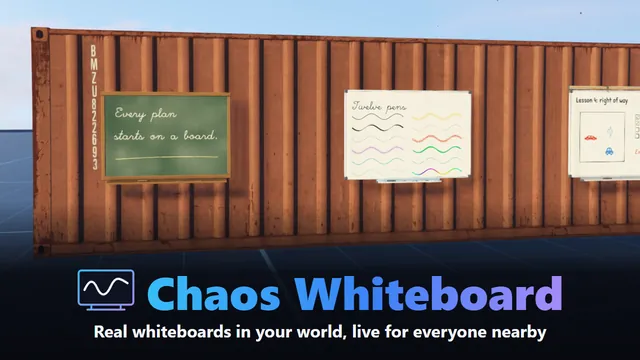
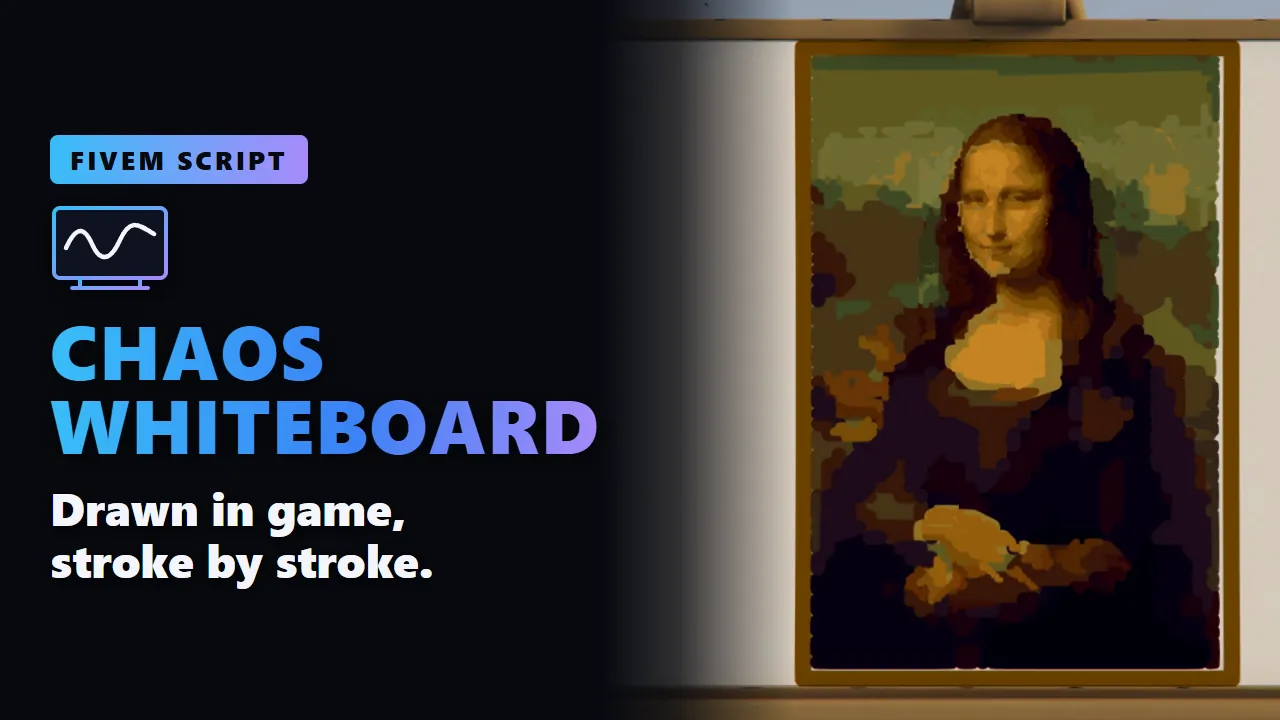
Real whiteboards in your world, and your players really write on them. Walk up, open a board with ox_target, and the camera moves in front of it. Whatever you draw, write or pin appears on the board itself, for everyone nearby, as it happens. After a restart it is all still there. 28 boards, twelve pens, widgets that work, a real map of the city, and websites on a board.
- Granted to your Cfx.re account after payment
- Asset escrow, with the config left open
- Support on Discord
In action
The script, feature by feature
In motion
See it move
What you get
Chaos Whiteboard, in detail
28 boards
- On the wall: office, classroom, green chalkboard, white and black glass, memo, a 4 m conference board, tall roster, cork pin board, a board with side wings, cafe menu, briefing, smart board and workshop.
- Free-standing: a board on casters, flip chart, painter's easel and info stele.
- On and as a table: desk board, writing pad, table sign, desk flip chart, and a planning table to stand around.
- From the ceiling: a board on cables and a sign on chains.
- Outdoors: sidewalk sign, roofed notice board and 4 m billboard.
- In the world: the content is on the board, not in a window, lit by the world like the board itself. Two boards of one model show their own content side by side.
- Your own models: each board has collision and a medium LOD, and you can add your own in the config.
Pens and drawing aids
- Twelve pens: marker, highlighter, calligraphy, pencil, dashed, spray, neon, brush, chalk, dotted, double line and rainbow, each with its own size and opacity.
- Rough lines come out clean: a shaky rectangle, triangle or circle becomes a neat one when you let go.
- A ruler for straight lines, corners, rectangles and ellipses.
- More aids: smoothing, arrow heads, parallel lines, a magnet, and symmetry: draw half a heart and get a whole one.
A full editor
- Text right on the board: fifteen fonts, size, colour, bold, italic and alignment.
- Notes and shapes: sticky notes, shapes, stamps, 22 symbols, fill, a colour picker and about 3,700 emoji, the same pictures for every player.
- Connectors that stay attached when you move what they join, and an eraser that really cuts lines where it passes.
- Arrange: select, move, turn, scale, group, align and distribute, lock, duplicate, snap to a grid, zoom and pan, guide lines.
- Images from a link, with a preview. Hosts can be limited in the config.
- Quick: Ctrl+K for every command, Ctrl+F to find text on all sheets, copy and paste between boards, a right-click menu, undo and redo.
- Ready-made: backgrounds and patterns, templates (Kanban, week plan, map grid) and saved layouts to place on any other board.
Widgets that do something
- Checklists a click ticks, for everyone at the board.
- Polls with one vote per player and live bars.
- Countdowns and clocks that run on the board.
- Tables up to 20 rows and 12 columns, and note stacks for a kanban board.
- A live list of who is on duty in a job.
- A case board kit: photo cards and red string on cork.
- For everyone: players who may only look can still tick and vote.
More than a drawing
- A tactical map: the whole city as a board's background, with its roads, water and district names. Draw routes, place vehicles and people, set pins.
- Set GPS: one click sets your target, also for players who may only look, so a briefing can end with everyone setting theirs.
- Websites on a board: a presentation, a document or a dashboard, for everyone nearby. The board's content stays and comes back with one click. Off, limited to hosts you choose, or for owners and admins only.
- Sheets to flip through: from 2 on a sidewalk sign to 20 on a flip chart, with an overview of all of them.
- A laser pointer each player sets up themselves: kind, colour, trail and signal rings.
- Present mode, a board posted to Discord as a picture, and boards as files.
Together
- Live: everyone nearby sees strokes while they are drawn and moves while they are dragged, with cursors and names.
- Follow where someone is looking.
- Your own undo: it only takes back your own changes.
For your server
- Who may do what: public, restricted (owner, an editor list, jobs) or read-only, per board. Everything is checked on the server.
- Place boards in game with a see-through preview that sticks to walls, or fix them in the config.
- Older versions: someone cleared a board? An admin brings it back in the Manage menu.
- A change log in game and on Discord, one webhook per kind of event, edits summed up instead of sent stroke by stroke.
- Items, if you like: pens and sponges as items, a board as an item, and limits per job on boards and tools.
- Performance: only the nearest boards show their content live, 6 by default, and farther boards show a small still picture. How many and at what size is up to you.
- Open config: a commented config.lua, and a config_server.lua that never reaches the players. Every text in English and German.
- Exports on client and server: create, remove, clear, read and open boards, ask who may edit, and set permissions.
Before you buy
What it needs
ox_lib, ox_target and OneSync, on by default on txAdmin servers. oxmysql is optional: without it boards are saved in the server's own storage. ESX, QBCore or Qbox are optional, for jobs, character names and items.
- Scripts and models are protected by the FiveM asset escrow. The config and the texts stay open.
- Your server has to run with a license key from the Cfx.re account that owns the resource.
- Exports for your own scripts, in files that are left open as well.
Set up
On your server in three steps
Download
From the Cfx.re Portal, under Granted Assets.
Ensure
Put the folder into your resources and add it to your server.cfg.
Configure
Everything is explained option by option in the documentation.
More from the store
Keep browsing